Inspection report✓ Reviewed
Ground-floor washroom
Sample office · Restrooms
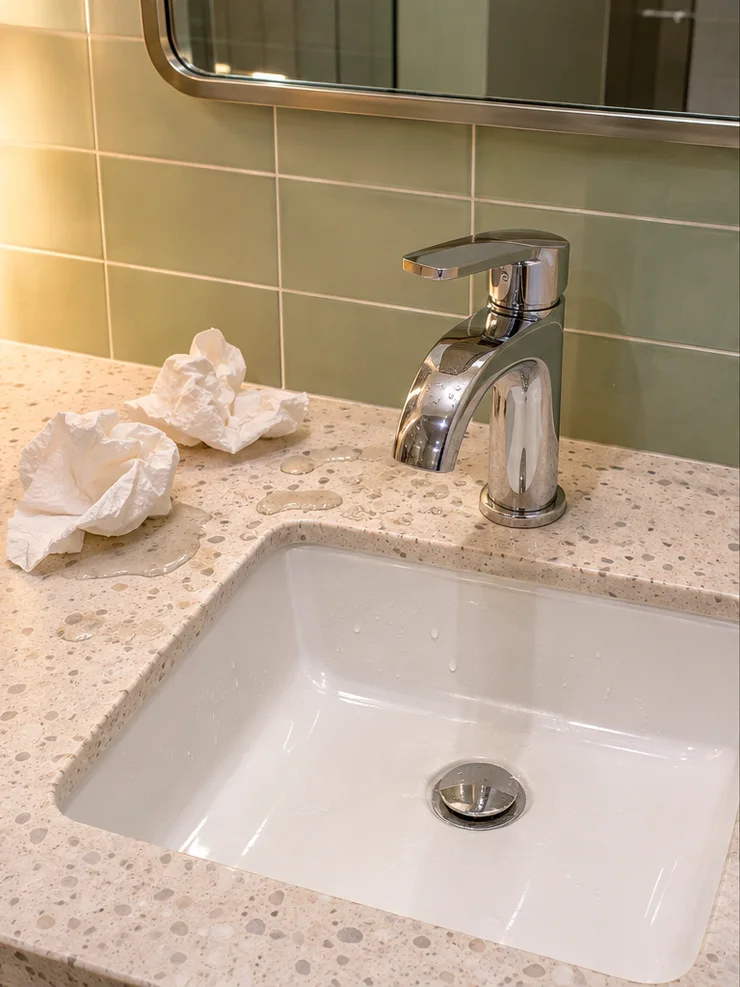
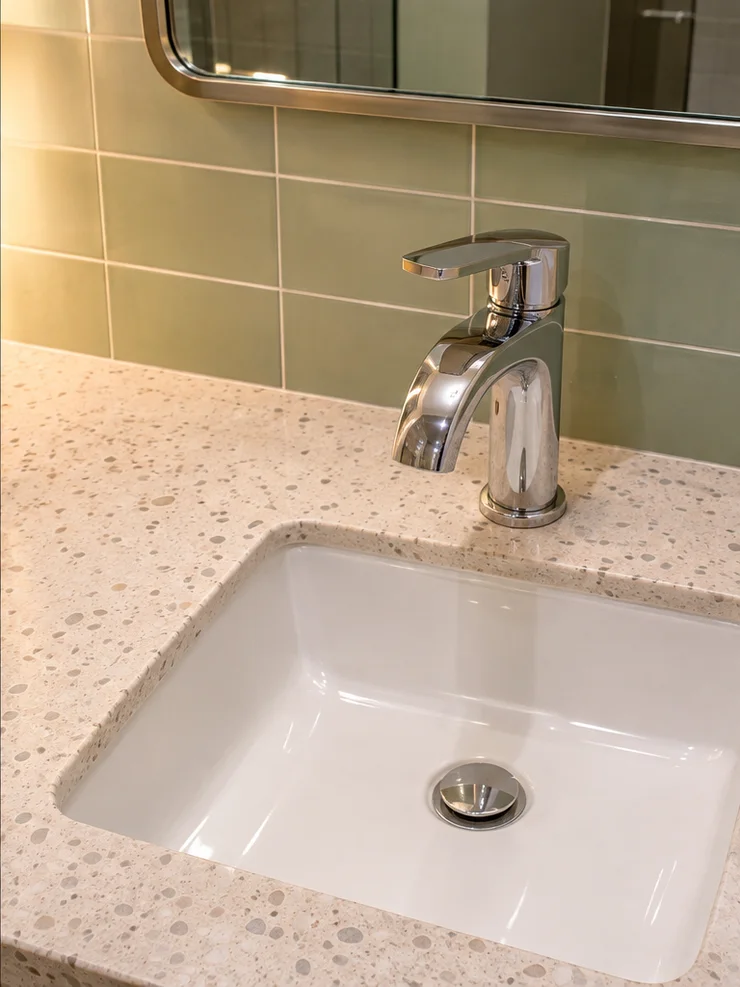
1 finding · 1 correction

Inspection software for cleaning companies
Give your client a before-and-after photo report from every inspection. Your crew records the work once, on site.
Sample office · Restrooms
Illustrative visit · AI-generated photos
Time savings
The photos, findings and fixes are already together. Use the time you would spend gathering them to follow up with your next client.
How it works
Explore what the supervisor, cleaner and client see at each step.
The supervisor opens the washroom checklist, records water and paper towels on the vanity, and adds a photo.
The cleaner wipes the counter and adds a photo. The supervisor compares both images and reviews the correction.
The client can see the authorized report in their private portal. The PDF keeps the finding and its follow-up together.

Illustrative visit · AI-generated photos
Sample report
1 finding · 1 correction
Crew coordination
When several crews are out on the same shift, the supervisor needs to know where to go next. Each finding has a site, an owner and a follow-up.
Prepare the checklist for each location. Assign a missed item to the person doing the work, then have someone else review the correction photo.
Example shift
Evening crew · Wipe the vanity and attach a photo.
Supervisor · Review the crew’s entry-glass photo.

Client relationships
Show what the inspector found, who followed up and the photo of the correction. Before the next visit, ask your client if the result met their expectations.
Take a sample report to the walkthrough. A prospective client can see what they would receive and how your team follows up on missed work.
Customer feedback
We publish feedback with the customer’s permission.
Plans
Both plans include inspections, corrections and client reports. Choose the limits that fit your operation.
49.99 USD / month
89.99 USD / month
Monthly prices in US dollars, before applicable taxes. Contact us about a plan. The pilot runs in Paddle Sandbox with simulated payments.
Yes. Prepare the areas and inspection points for each site, then enable the template your supervisor should use there.
You control which reports are available in the client’s private portal. Clients see the reports authorized for them.
Each person can choose English, Spanish, Portuguese, Arabic or Hindi. Notes entered by the team stay in the language they were written in.
The full plan allowance: up to 100 inspections on Base or 400 on Pro during the five days. The inspection allowance resets when the first paid month begins. Active sites and members continue to count toward their limits.
Active internal members: administrators, supervisors, workers and Internal Viewers. The administrator counts toward the 12 or 40 members. External client contacts do not use this allowance.
When a new visit starts, even if it remains a draft. Saving, submitting, correcting or revising that same visit does not use another inspection. A visit started during the trial is not counted again when revised in the paid month.
The paid month starts when the trial ends and renews on the monthly anniversary of the first charge. If a month does not have that day, its last day is used, keeping the original anniversary for later months. These are not fixed 30-day periods.